 Glyphfield
Browser-agent workflow
Operate the Studio when generation depends on WebGL, Canvas, local files, visual placement, Lottie, GIF, or MP4 capture.
Some capabilities intentionally render in the browser because their output depends on browser graphics APIs or interactive composition. They remain programmatically available through the Studio Browser API.
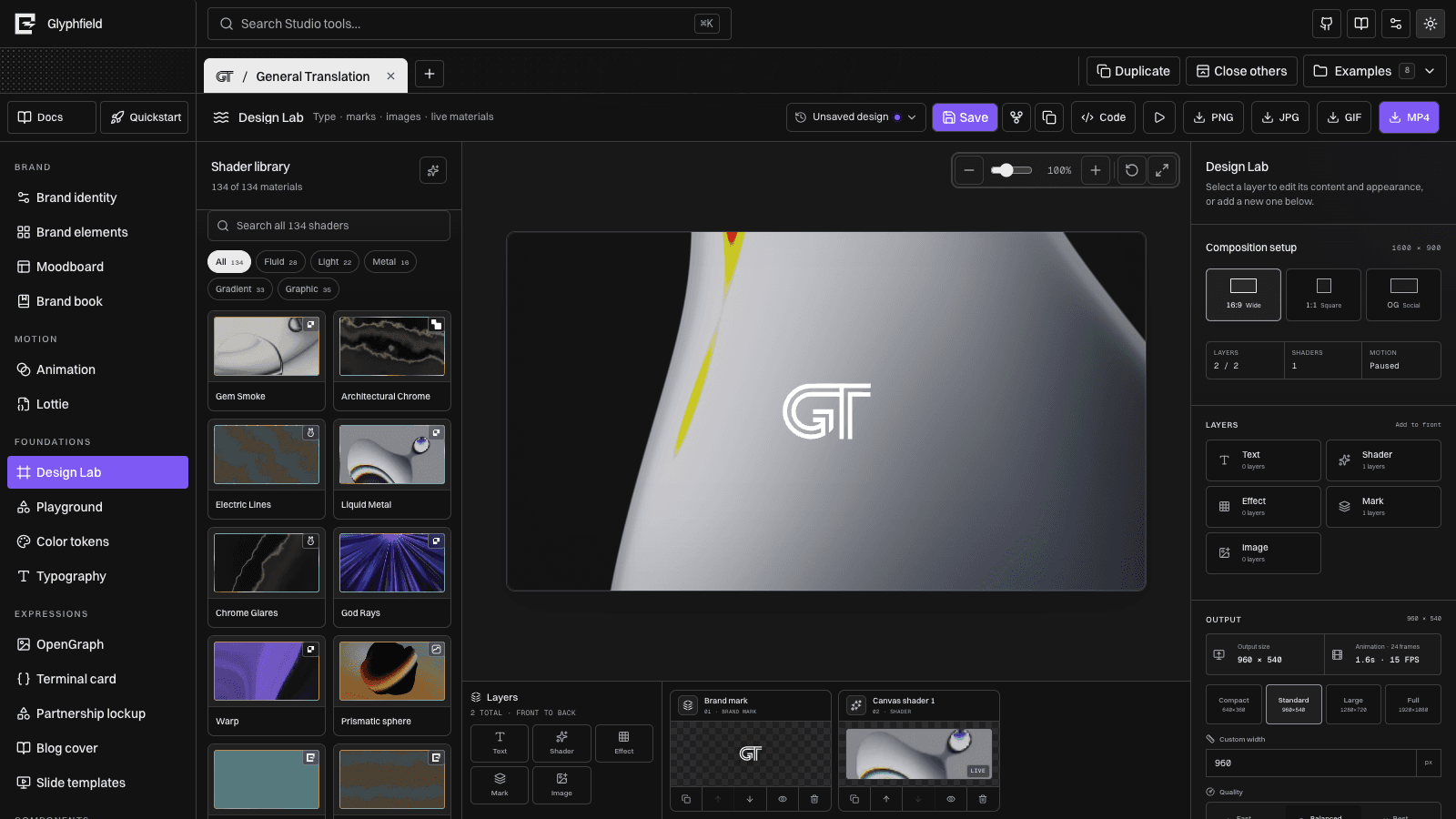
Use the browser for
- Moodboard PNG up to 4800 × 6000
- Animation GIF and MP4 packages, including MP4 audio
- Live Design Lab shaders, stills, GIFs, MP4, and shader sequences
- PNG output from OpenGraph, terminal, logos, and templates
- Local font, image, logo, and shader inputs
- Visual placement, opacity, scale, and zoom inspection
- Shared Brand identity settings that update all browser-local designs
- Exact source editing for the active artifact through the right-side Code drawer
Discovery before operation
- Fetch
/api/catalog. - Select the exact tool
idor visiblename. - Open
/studio. - Choose a built-in identity or create a local project.
- Open the matching tool with navigation or Studio search.
- Read
window.glyphfield.studio.describe()andcontrols(). - Configure by accessible label with
activate/set, or usereadSource/applySourcefor exact source editing. - Resolve any inline validation error before continuing; an error means the visual document was not changed.
- Verify the canvas at a useful inspection zoom and use Reset/Fit when needed.
- Invoke the tool's export action and verify the returned artifact.
Stable programmatic interface
window.glyphfield.studio.describe();
window.glyphfield.studio.controls();
const nextToolReady = new Promise((resolve) => {
  window.addEventListener('glyphfield:studio-api-ready', resolve, { once: true });
});
window.glyphfield.studio.activate('Design Lab');
await nextToolReady;

// Re-read the adapter after switching tools.
const studio = window.glyphfield.studio;

if (studio.activeTool() !== 'material') {
  throw new Error(`Expected Design Lab, received ${studio.activeTool()}`);
}

const current = JSON.parse(studio.readSource());
current.composition.backgroundColor = '#111216';
await studio.applySource(current);

const artifact = await studio.invoke('design.export', {
  format: 'png',
  download: true,
});
The page dispatches glyphfield:studio-api-ready whenever the active tool adapter is ready. Listen for that event when automation starts before Studio has finished loading.
Generic actions are source.read, source.apply, controls.list, control.activate, control.set, and artifact.download. describe() lists any additional actions exposed by the active tool. An export can return a Blob without saving it, save immediately with download: true, or be saved later with studio.download(artifact).
Reliable interaction
- Prefer visible labels and accessible names over coordinates.
- Wait for imported images, fonts, and shader previews to finish rendering.
- Use the canvas at 100% for final inspection.
- Confirm surface and logo reversal in both light and dark compositions.
- Treat browser download completion as the terminal success condition.
- For Blob-only export, require a non-empty Blob with the expected MIME type and filename.
- Inspect multiple motion frames and verify the seam when a perfect loop is required.
- Do not delete projects unless the user explicitly requests deletion.
- Do not assume the drawer document is a
/api/generatepayload. Use the tool's source format.
Persistence boundary
Project identity, navigation, tabs, and most tool drafts persist in localStorage. Design Lab named designs, complete autosaves, and converted assets use IndexedDB with a small synchronous recovery journal where needed. The Browser API reads and mutates the same active project state. Stateless HTTP requests do not silently mutate projects; generated apply-ready documents must be passed explicitly to applySource.
Choosing API versus browser
If /api/generate can represent the artifact, prefer it. Use the Studio Browser API when visual judgment or browser-native rendering is part of the requested result.