 Glyphfield
Animation
Build multilingual text, logo, and image sequences with per-frame composition, materials, timing, audio, and GIF or MP4 output.
Animation is a sequence editor for brand motion. Each state can contain text, a logo, or an image; every state owns its placement and transition while inheriting or overriding the composition background.
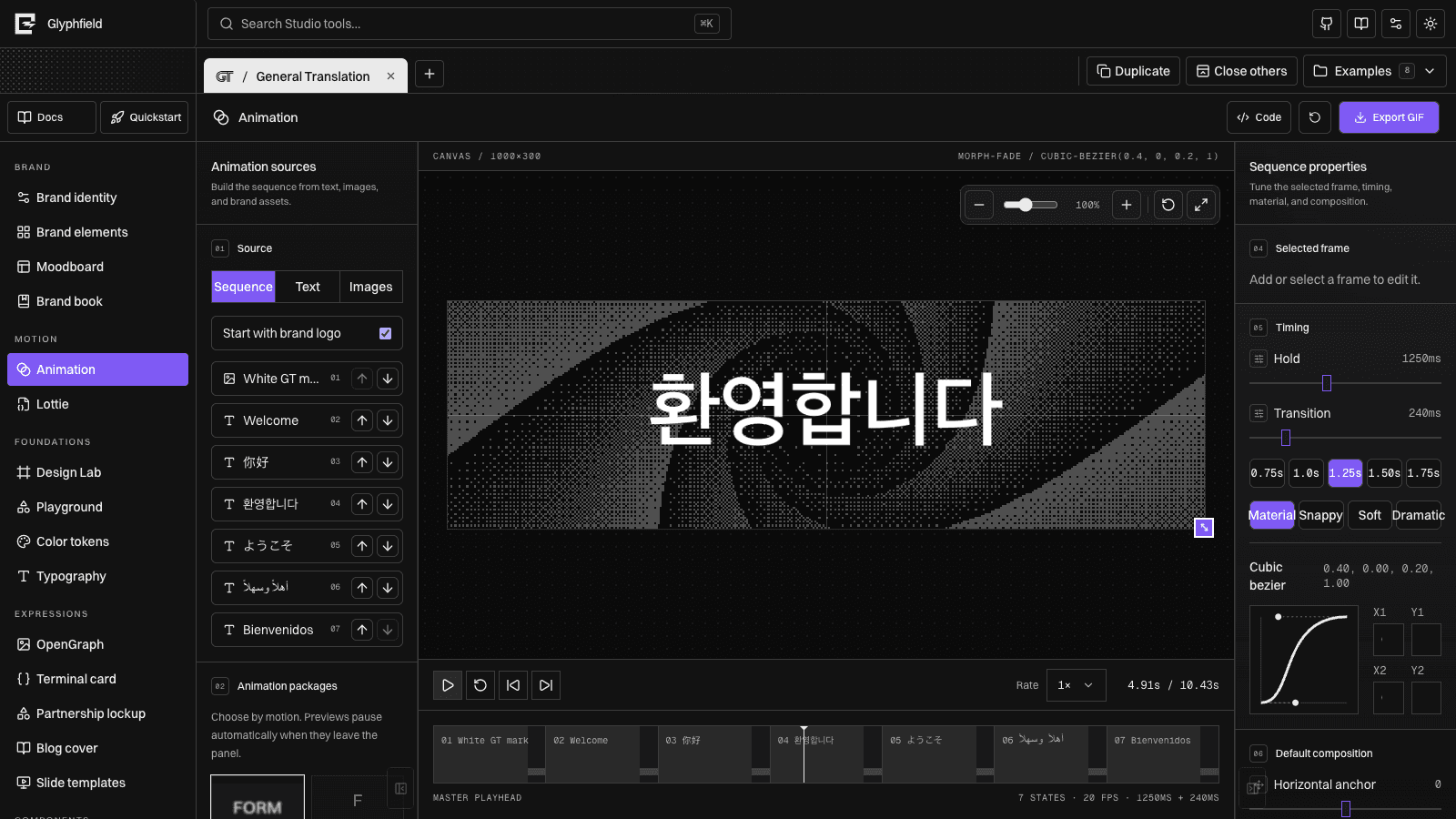
Choose the source mode
- Sequence mixes brand marks, text, and imported images in one ordered timeline.
- Text builds a text-only sequence from newline-separated frames.
- Images creates motion from authorized local image files.
Start with the brand logo when the motion should establish identity before language or product content. Reorder states from the source list; timeline order, source order, preview, and export stay synchronized.
Frame composition
Select a state to edit its content, hold duration, transition duration, easing, position, scale, rotation, opacity, crop, and background. Dragging and resizing on the canvas update the same frame document used by the inspector.
The stage exposes edge and corner handles for output width and height. This changes the exported composition itself; the zoom toolbar changes only the view.
Background inheritance
The sequence has one default background. A state can inherit it or opt into a frame override. Backgrounds support solid colors, gradients, and materials from the shared Shader Library, with crossfade, wipe, or radial transitions.
Changing the inherited material updates every frame that does not have an override. This prevents a seven-state sequence from becoming seven disconnected copies of the same material settings.
Motion packages
Packages provide deterministic transition systems such as morph/fade, text-to-image, image-to-text, type/delete, crossfade, scale-fade, and slide-fade. Each package defines sensible defaults while leaving timing and frame placement editable.
Use the cubic Bézier editor when a preset is close but not exact. The selected curve is stored with the sequence and used for both preview and export.
Audio timeline
Import authorized browser-readable audio, then place clips on the motion timeline. Clips support timeline offset, source trim, split, per-clip volume, master volume, and mute.
The waveform is derived locally from decoded audio. MP4 export mixes overlapping clips into the encoded track. GIF has no audio channel; the audio document remains available for a later MP4 export.
Shader playback
Shader time is resolved from the animation playhead, not an unrelated wall clock. Scrubbing therefore reveals the exact material frame that export will capture. Pausing the sequence also pauses the material background.
Shader size uses the same 0.1×–10× logarithmic zoom as Design Lab. Frame overrides store their own material settings; inherited frames track the shared background.
Output
- GIF uses deterministic frame times, a protected-color palette for text/marks, and optional seamless-loop closure.
- MP4 uses the browser's available video codec and includes mixed audio when present.
- Source JSON preserves sequence order, per-frame configuration, background inheritance, audio state, and output settings.
Choose the final dimensions and frame rate before export. Larger dimensions, more frames, live materials, converters, and global palette analysis all increase capture time.
Agent operation
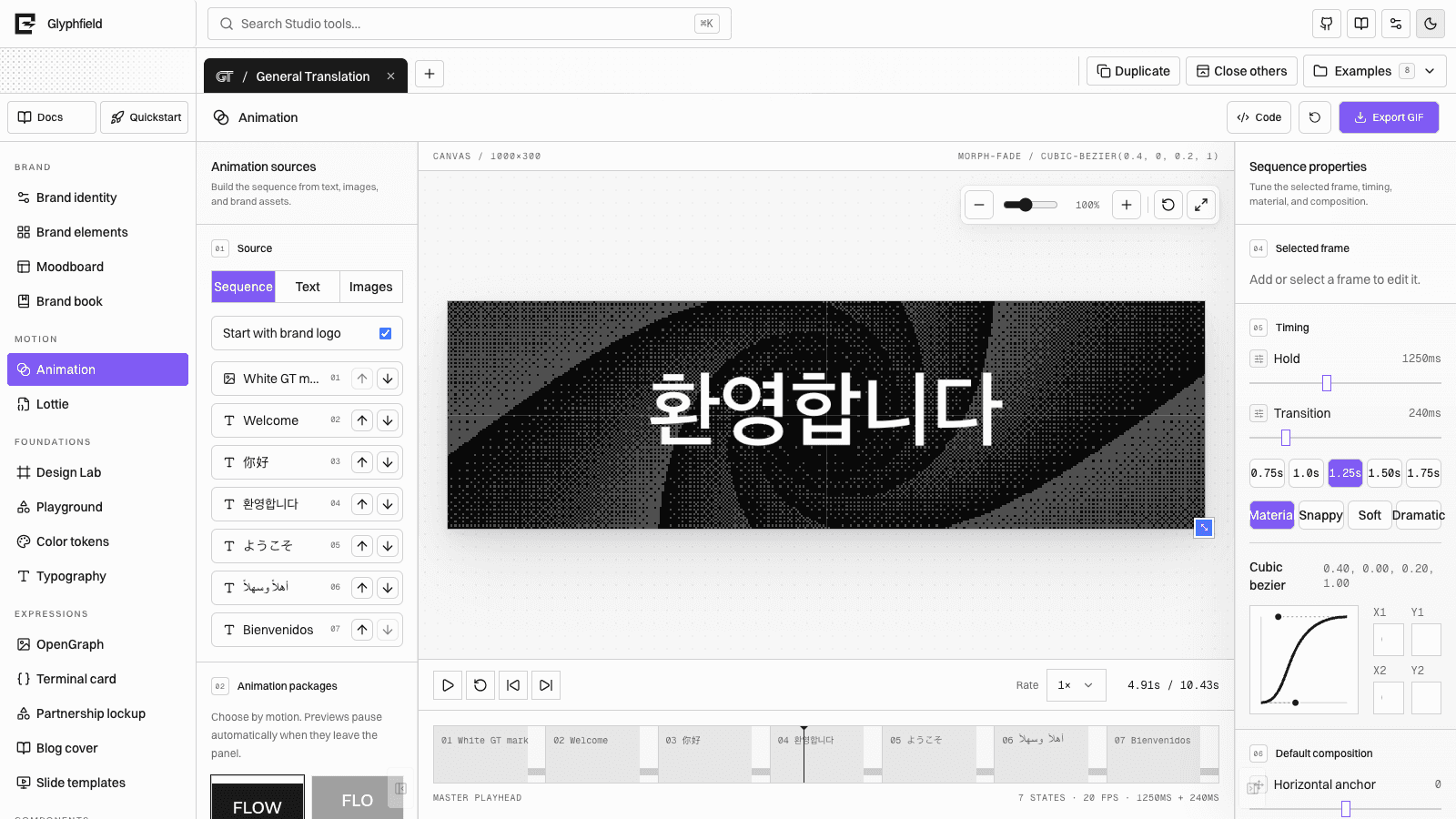
Animation is browser-rendered. An agent should open /studio, activate Animation, wait for glyphfield:studio-api-ready, inspect describe() and controls(), then use accessible controls or source read/apply.
const studio = window.glyphfield.studio;
const source = JSON.parse(studio.readSource());
source.playbackRate = 1;
await studio.applySource(source);
console.log(studio.describe());
Use the active tool's describe().actions list rather than guessing an export action. Verify the resulting motion in the canvas before downloading.