 Glyphfield
Brand identity
Maintain the identity source that drives every visual tool and generated application.
Brand identity is the source of truth for the active project. Edits persist immediately and flow into all tools that read the identity.
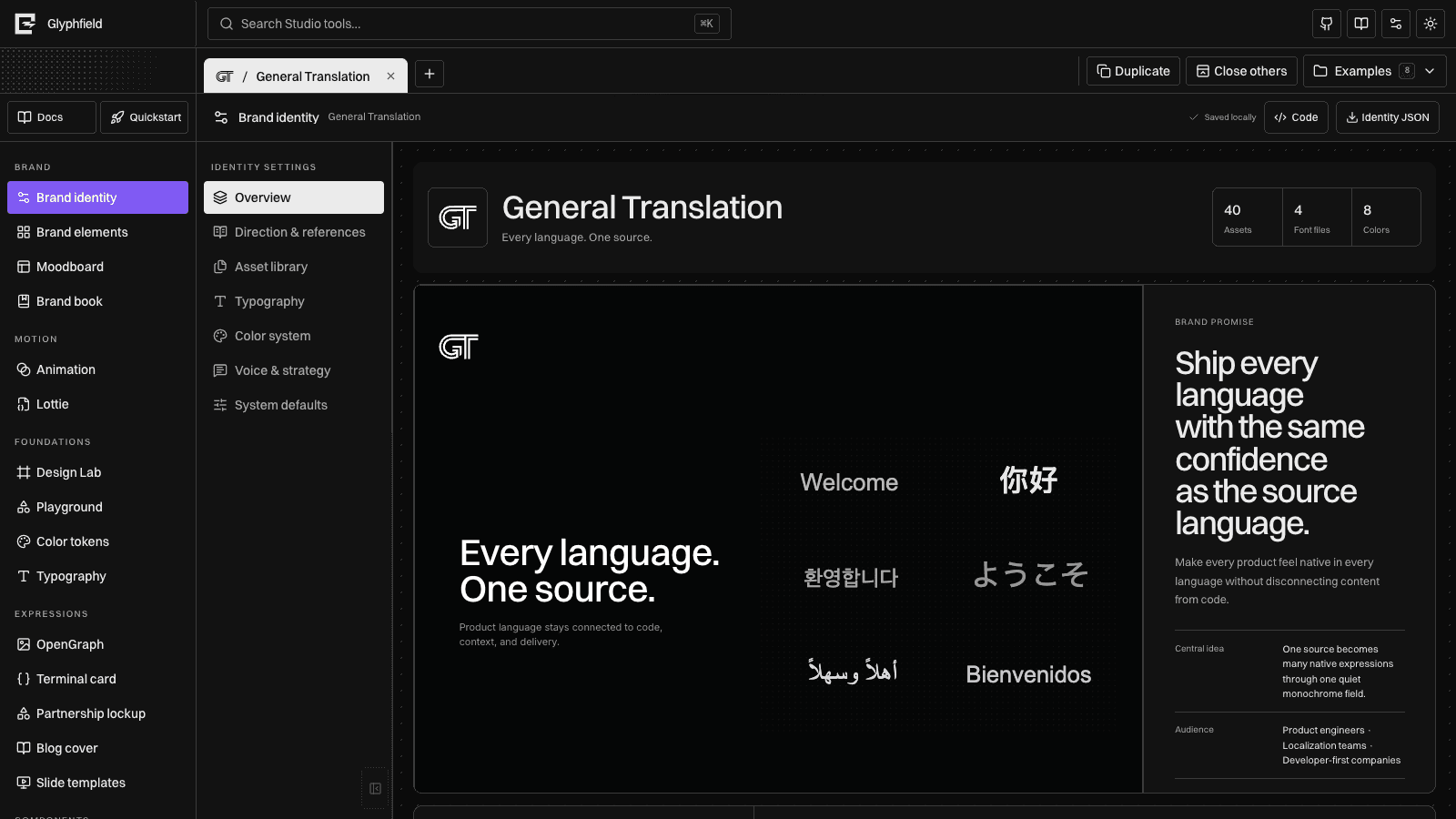
Direction and references
Every project contains an editable art-direction dossier and a categorized 20-reference contact sheet. The dossier records the premise, personality, logo behavior, typography, color, imagery, composition, signature device, motion, application recipes, prohibited moves, and provenance rules.
Reference records are not treated as generic background images. Each one stores a category, source owner, source URL, intended use, status, and redistribution state. Official captures remain research-only until the owner or license explicitly permits bundling. Planned records remain visible as planned instead of pretending that research has been completed.
The built-in identities use separate preview recipes. Their compositions, hierarchy, image worlds, and signature devices are selected by art direction rather than by swapping colors into one global preview.
Core identity
Define the brand name, short name, website, tagline, positioning, and description. The short name is used for monograms and compact marks when a logo is unavailable.
Strategy
Record the challenge the identity must solve, its central concept, promise, intended outcome, pillars, and personality. These fields are not presentation notes: the moodboard and application system use them as production content.
Graphic system
Define one recognizable device, its rationale, composition behavior, image direction, pattern grammar, and operating rules. The board renderer supports blocks, brackets, bursts, circuits, flows, grids, orbits, rays, steps, and waves, so the identity can produce a repeatable visual language instead of a palette swap.
Logo family
Upload separate marks for light and dark surfaces. Use SVG or a transparent PNG under 1.5 MB.
- The dark mark is intended for light surfaces.
- The light mark is intended for dark surfaces.
Glyphfield chooses the appropriate variant in project tabs, templates, previews, and exports. If a matching variant is missing, it falls back to the available mark.
Asset provenance
Asset records support alt text, semantic role, focal point, tags, source owner, source URL, license, redistribution status, and intended usage. Use the collapsed provenance controls in the asset library to keep the browsing view quiet while preserving the information required for export, replacement, attribution, and agent use.
The semantic roles are logo, background, texture, image, reference, motion, icon, product, and proof. A product or proof mark is never offered as background decoration unless its role is changed deliberately.
Conversion library
The Asset library also contains a reusable local conversion workspace. It accepts SVG, PNG, JPEG, WebP, GIF, AVIF, and BMP files, sanitizes SVG markup, and creates a transparent shader-safe PNG at a selected maximum dimension. The original and converted file remain available for download and are stored in this browser rather than uploaded.
Converted records are available to Design Lab across local projects. They do not automatically become identity assets with provenance metadata; use the identity asset uploader when a file should be part of the portable BrandIdentity record.
Semantic colors
Each color contains a name, role, and six-digit HEX value. The color tools also expose an OKLCH representation for perceptual comparison.
The standard roles are ink, paper, emphasis, and success. Generators use ink and paper as default foreground and background values.
Typography
Assign families to Display, Body, Accent, and Code roles. The identity-wide family names feed templates, components, and the brand board. Individual tools may also load a local font for a one-off artifact.
Language and voice
Greetings feed the default animation sequence. Voice principles and preferred phrases seed titles and supporting copy across templates. Audiences document who the system should address.
Applications
Every application has a name, category, format, and design intent. Edit these records to determine which credible product, marketing, editorial, social, developer, event, and physical outputs appear on the identity board.
What updates automatically
- Moodboard foundations and applications
- Brand element defaults
- OpenGraph, slides, blog, and partnership templates
- Logo, color, typography, and component previews
- Animation greetings and default brand colors
- Agent element briefs after the identity is supplied in a request
Existing per-tool overrides remain overrides. Reset a tool or element to return to its identity-derived defaults.
Edit the identity as source
Select Code to open the complete active BrandIdentity as JSON in the shared right-side drawer. This is the same identity object used by the forms, previews, project persistence, and downstream generators.
The top-level source must remain a JSON object and include:
idnameassetsas an arraycolorsas an arraytypographyas an array
Select Apply to validate and replace the active identity. Invalid JSON or missing required collections remains unapplied and appears as an inline error. Reset reloads the latest identity snapshot produced by the visual controls.
Use the source drawer for precise bulk edits, asset metadata, or identity handoff. Use the visual sections when a field benefits from previews, upload validation, or direct manipulation. Both workflows update the same project-scoped identity.