 Glyphfield
Moodboards
Generate a complete design board from foundations and polished applications, then export it at production sizes.
The Moodboard has two presentation modes. Showcase composes the identity as a 16:9 application collage with campaign, product, social, editorial, device, apparel, and outdoor mockups. System keeps the vertically structured 4:5 identity review with foundations, rules, and designed applications.
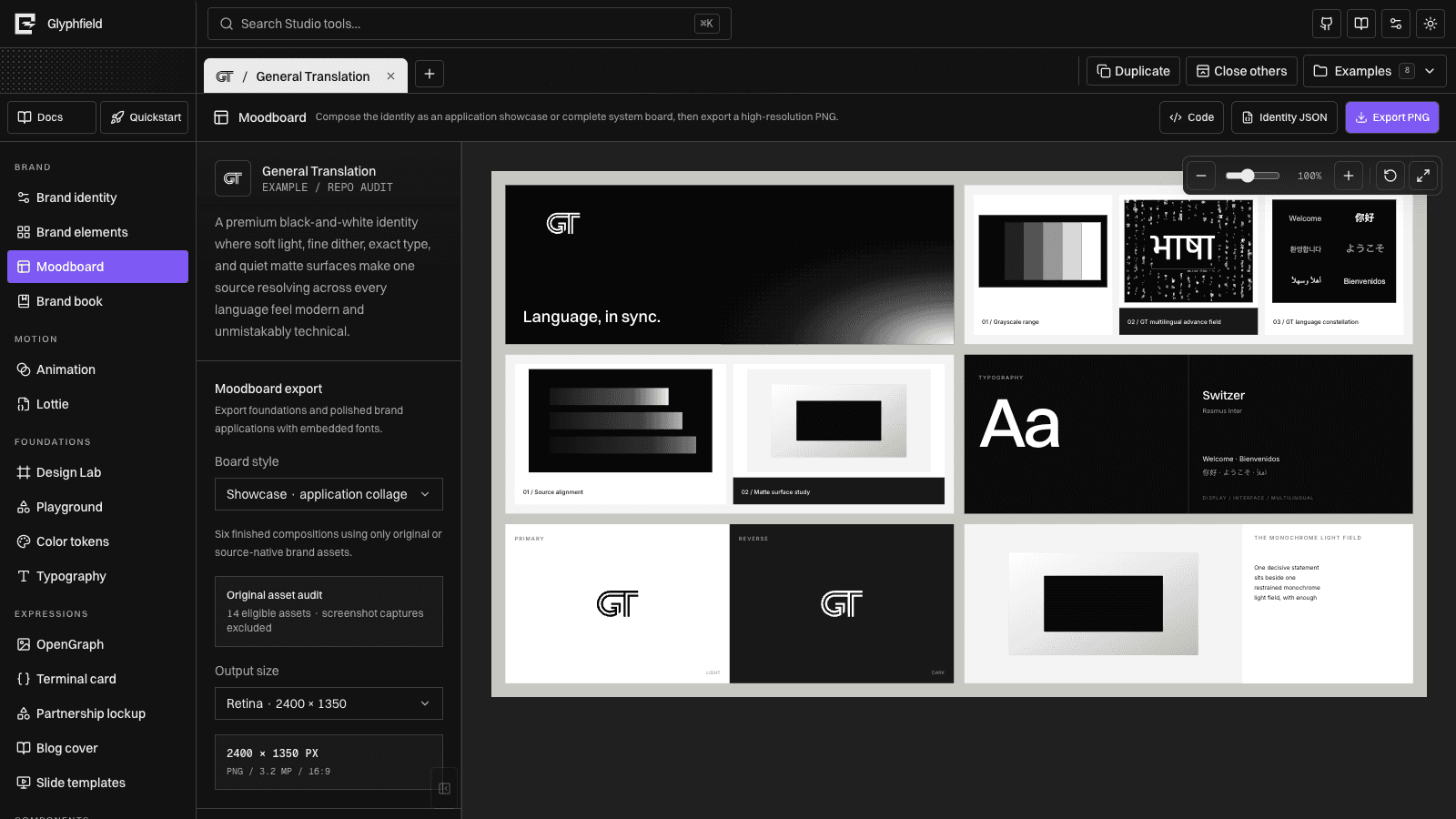
Included sections
- Identity thesis and strategic challenge
- Central concept, promise, and brand pillars
- Logo architecture and reversal behavior
- Semantic color system with HEX and OKLCH
- Display, body, accent, and code typography
- Recognizable graphic device with rules and composition grammar
- Product, campaign, developer, editorial, social, event, and physical applications
Both boards use the active identity’s real logo files, type families, colors, positioning, strategy, graphic system, voice, and named applications. Their layouts are generated from the identity rather than a General Translation-specific collage.
Export sizes
| Preset | Showcase | System |
|---|---|---|
| Standard | 1600 × 900 | 1600 × 2000 |
| Retina | 2400 × 1350 | 2400 × 3000 |
| High resolution | 3200 × 1800 | 3200 × 4000 |
| Ultra | 4800 × 2700 | 4800 × 6000 |
| Custom | 800–4800 px wide at 16:9 | 800–4800 px wide at 4:5 |
The PNG renderer embeds bundled fonts before rasterizing, which keeps the output visually consistent with the preview.
Identity JSON
Use Identity JSON to download the complete active BrandIdentity. The file contains the shared foundation record and is useful for backups, handoff, inspection, and agent-side transformation.
Review workflow
- Complete Brand identity.
- Review the board at 100% zoom.
- Check logo reversal, small type, and application spacing.
- Export Standard for routine sharing or Retina/High for presentation.
- Use Ultra only when the additional raster dimensions are needed.
Edit board configuration as source
Select Code to edit the current board configuration without replacing the preview. The source document contains:
{
  "composition": "showcase",
  "exportPresetId": "retina",
  "customWidth": 2400
}
composition accepts showcase, system, or catalog. exportPresetId must match an available output preset, and customWidth is clamped to 800–4800 pixels. Applying a valid object updates the same board controls used by preview and PNG export.
Board source configures presentation and output only. Identity content, assets, fonts, and art direction continue to come from Brand identity. See Source code editing for the shared Apply and Reset behavior.