 Glyphfield
Source code editing
Round-trip the active artifact through validated JSON without separating code, canvas, persistence, and export.
Every source-enabled Studio tool can be edited visually or structurally. Code opens the document beside the live canvas; window.glyphfield.studio exposes the same read/apply boundary to agents.
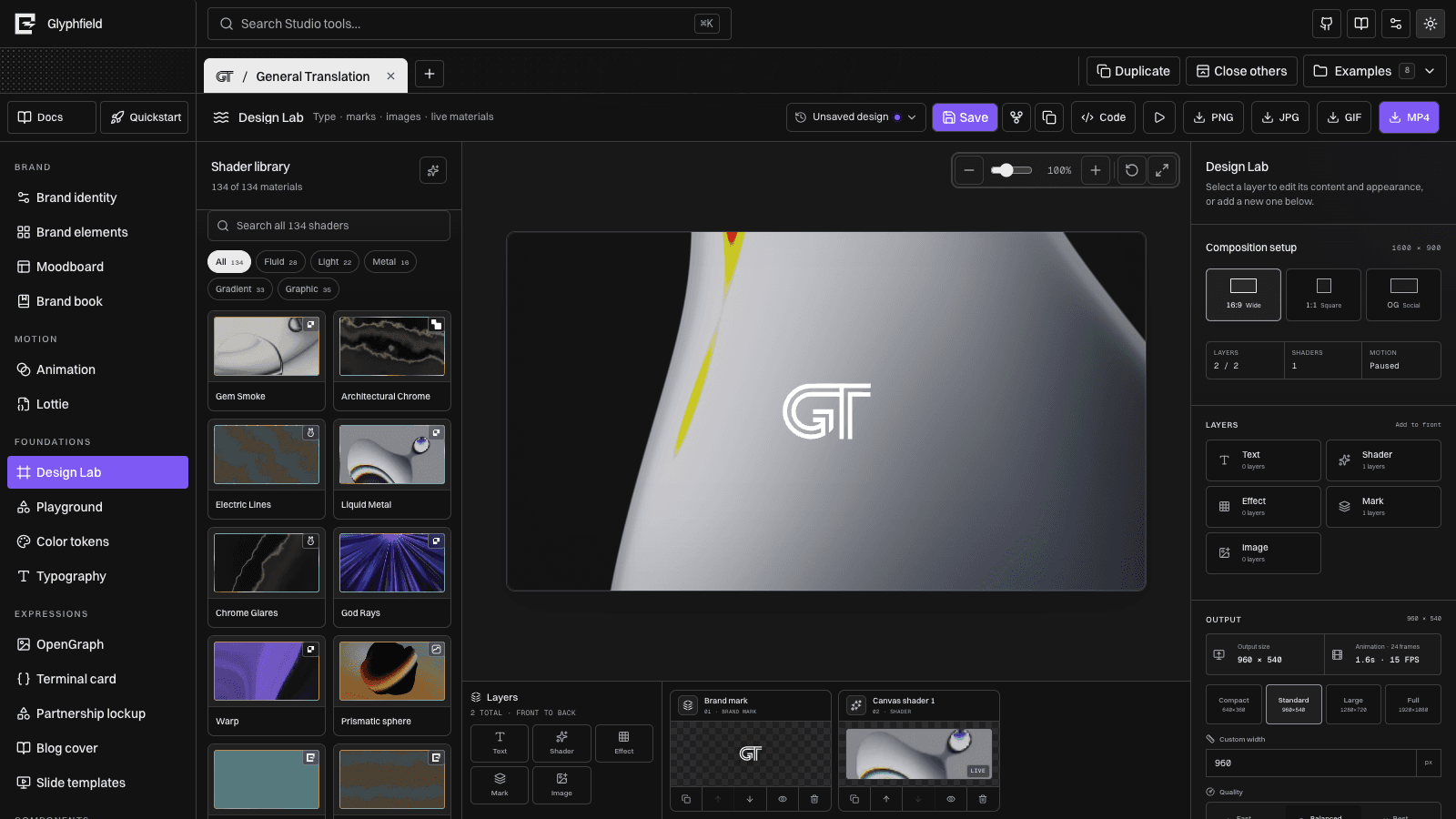
Human workflow
- Select a project and tool.
- Open Code from the tool action area.
- Make a targeted edit to the current source.
- Select Apply.
- Resolve any inline validation error.
- Inspect the canvas and layers.
- Continue visually, save the design, or export.
Reset reloads the latest visual snapshot into the editor. Close dismisses the drawer without applying uncommitted text. The drawer does not create a second copy of the artifact.
Agent workflow
const studio = window.glyphfield.studio;
const capabilities = studio.describe();
if (!capabilities.source.read || !capabilities.source.apply) {
  throw new Error(`${capabilities.toolId} does not expose source round trips.`);
}

const document = JSON.parse(studio.readSource());
// Preserve the document and edit only known fields.
await studio.applySource(document);
Application waits for the tool validator and two animation frames. Image decode, font loading, shader compilation, and encoding may take longer; wait for the relevant preview before capture.
Source families
| Family | Tools | Shape |
|---|---|---|
| Shared identity | Brand identity and identity-bound foundations | Complete brand record or controlled identity subset |
| Portable canvas | Design Lab | CanvasDocument v2, Design Lab metadata source v4 |
| Motion | Animation | Sequence, frame, transform, timing, shader, output, and audio state |
| Vector animation | Lottie | Raw Lottie JSON when a JSON document is available |
| Expression configuration | OpenGraph, Terminal, Partnership, Blog, Slides, Components | Tool-specific content, layout, asset, and transform object |
| Derived publication | Brand book | Identity is source; the book is regenerated output |
Why current source is authoritative
Examples explain concepts but may omit fields added by later releases. readSource() contains the active migration result, stable IDs, exact asset references, layer order, saved frame/timeline values, and tool metadata. Starting there prevents logos from shifting, layers from reordering, or newer settings from disappearing.
Do not:
- Recreate a CanvasDocument from an old code sample.
- Change element IDs when updating content or style.
- Drop unknown metadata or assets.
- Write directly to localStorage or IndexedDB.
- Apply one tool's document to another tool.
- Treat a successful apply as visual verification.
Design Lab specifics
Design Lab source contains the complete composition: pages, elements, embedded/library assets, exact order, groups, layer shaders, text/converter effects, background color, output settings, shader frame history, and sequence timeline. Named saves and autosave use the same portable source.
Use a design-sequence HTTP response when an agent needs to create a new exact composition. Use readSource() for an existing one. Both are applied through the active Design Lab adapter, whose public tool ID is material.
Source versus generation request
POST /api/generate accepts a concise, versioned request and returns an artifact or apply-ready document. A source drawer exposes the richer state of one open browser tool. They are not interchangeable.
The safe bridge is explicit:
const generated = await fetch('/api/generate', {
  method: 'POST',
  headers: { 'Content-Type': 'application/json' },
  body: JSON.stringify({
    kind: 'design-sequence',
    identity: { preset: 'gt' },
    shader: { materialId: 'paper-gem-smoke' },
    sequence: { cutCount: 10, finalHoldMs: 5000, pace: 'accelerating' }
  })
}).then((response) => response.json());

await window.glyphfield.studio.applySource(generated.document);
See Source format reference, Studio Browser API, and Agent recipes.