 Glyphfield
Brand elements
Apply one identity to a searchable catalog of digital, product, developer, social, editorial, event, and physical applications.
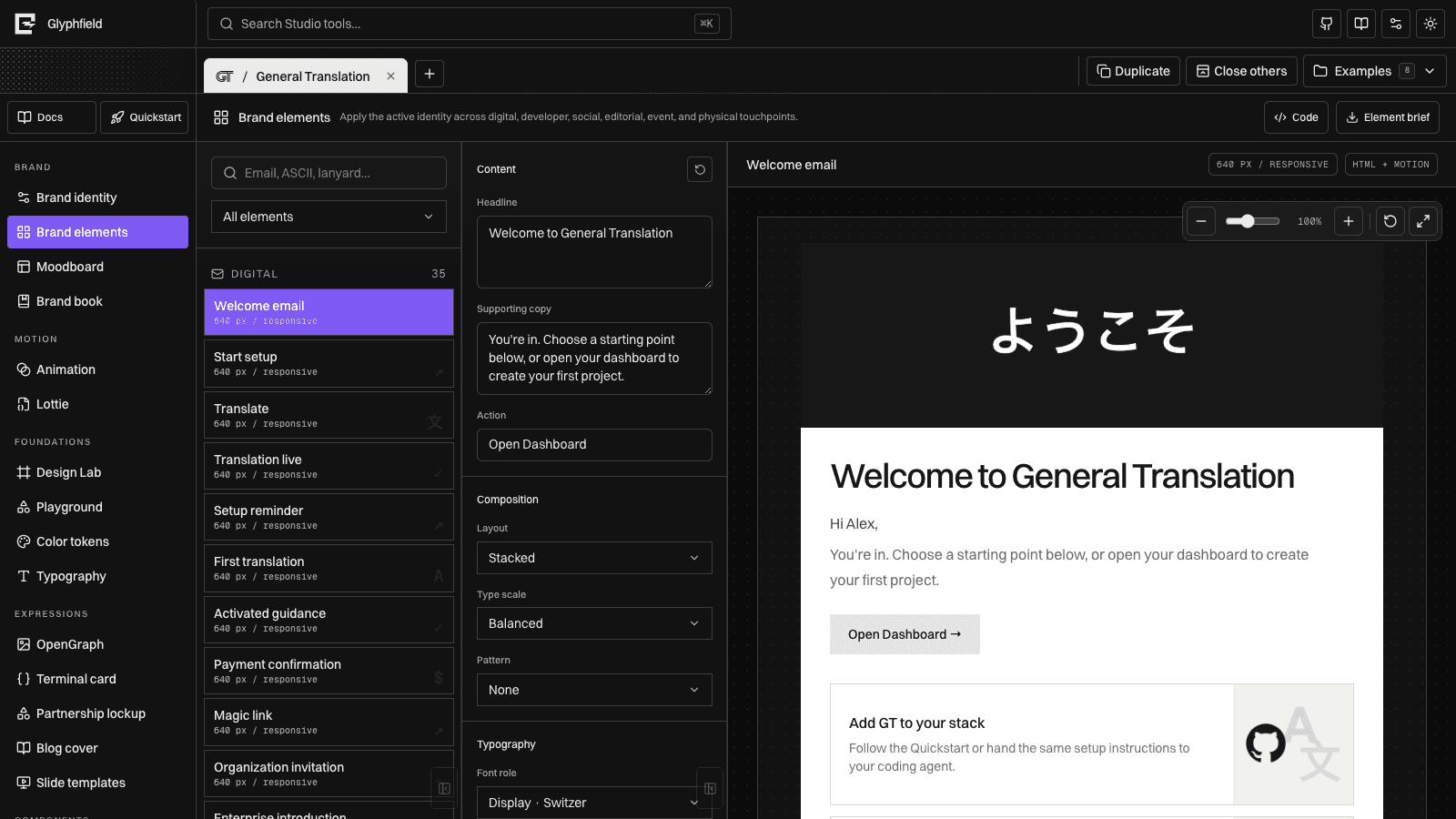
Brand elements turns the active identity into a broad application catalog. Select an element, adjust its content and composition, then download a machine-readable production brief.
Categories
| Category | Included applications |
|---|---|
| Digital | Welcome and transactional emails, email signature, web card, logo background, OpenGraph, 404, favicon, app icon |
| Product | Navigation, hero, feature grid, pricing, testimonial, forms, command menu, modal, toast, table, dashboard, empty state, checkout, settings |
| Developer | CLI banner, ASCII mark, terminal theme, README hero, documentation header, package card |
| Social | X, LinkedIn, community, avatar, and launch graphics |
| Editorial | Title and section slides, blog cover, report, press kit |
| Event | Lanyard, badge, backdrop, partnership lockup |
| Physical | Business card, sticker sheet, packaging label, letterhead |
Find an element
Search by name, output, use case, or keyword. Category filters reduce the catalog without changing the selected element.
Common controls
Depending on the selected application, the editor exposes:
- Headline, body, action, and person/partner copy
- Layout, type scale, and pattern
- Logo, website, and supporting metadata visibility
- Logo inversion, alpha-aware outline, shadow, and custom appearance
- Background, text, and accent colors
- Artwork position, scale, and opacity
- Pattern style and opacity
All controls are stored per project and element. Reset removes the element override and returns to identity-derived defaults.
Edit the selected element as source
Select Code to edit the selected element override as JSON. The drawer contains only the mutable override for that application; the catalog record and identity-derived defaults remain separate inputs.
Applying valid source updates the selected preview immediately and persists under the active project and element.id. Resetting the drawer restores the current visual override. Using the element’s normal Reset action removes that override entirely and returns the application to its identity-derived state.
This distinction matters when automating edits: source Reset reloads the current override, while element Reset deletes it.
Element brief
Element brief downloads JSON containing:
- The catalog record and stable
element.id - Category, dimensions, output format, symbol, and keywords
- Resolved copy and visual settings
- The active identity foundations
- A suggested Studio preview family
The same result is available to agents with kind: "element-brief". See Generation API.
For browser source editing, see Source code editing. For headless generation, keep using the versioned element-brief API contract; the drawer object is not an API request body.